HR Data Quality Rules for NDI Demo Dataset
1. Position reporting structure rules
Rule 1 — Exactly one solid-line manager
Requirement: Every position must have exactly one solid reporting line.
Dataset Field: PositionDirectory."Manager Position ID"
Checks:
- Flag if Manager Position ID is NULL
- Flag if Manager Position ID appears more than once for same Position ID (shouldn't happen but we check duplicates)
Rule 2 — Valid dotted-line reporting logic
Dataset Fields:
- PositionDirectory."Dotted Manager Position ID"
- PositionDirectory."Manager Position ID"
Checks:
- If dotted-line manager exists (non-null), solid-line manager must exist
- A position cannot report dotted-line to itself
- A position cannot report dotted-line to its direct solid-line manager (redundancy)
Rule 3 — Manager position must exist in directory
Requirement: Solid-line manager must be a valid Position ID.
Check:
- Manager Position ID NOT IN PositionDirectory.Position ID → flag
Same for dotted-line.
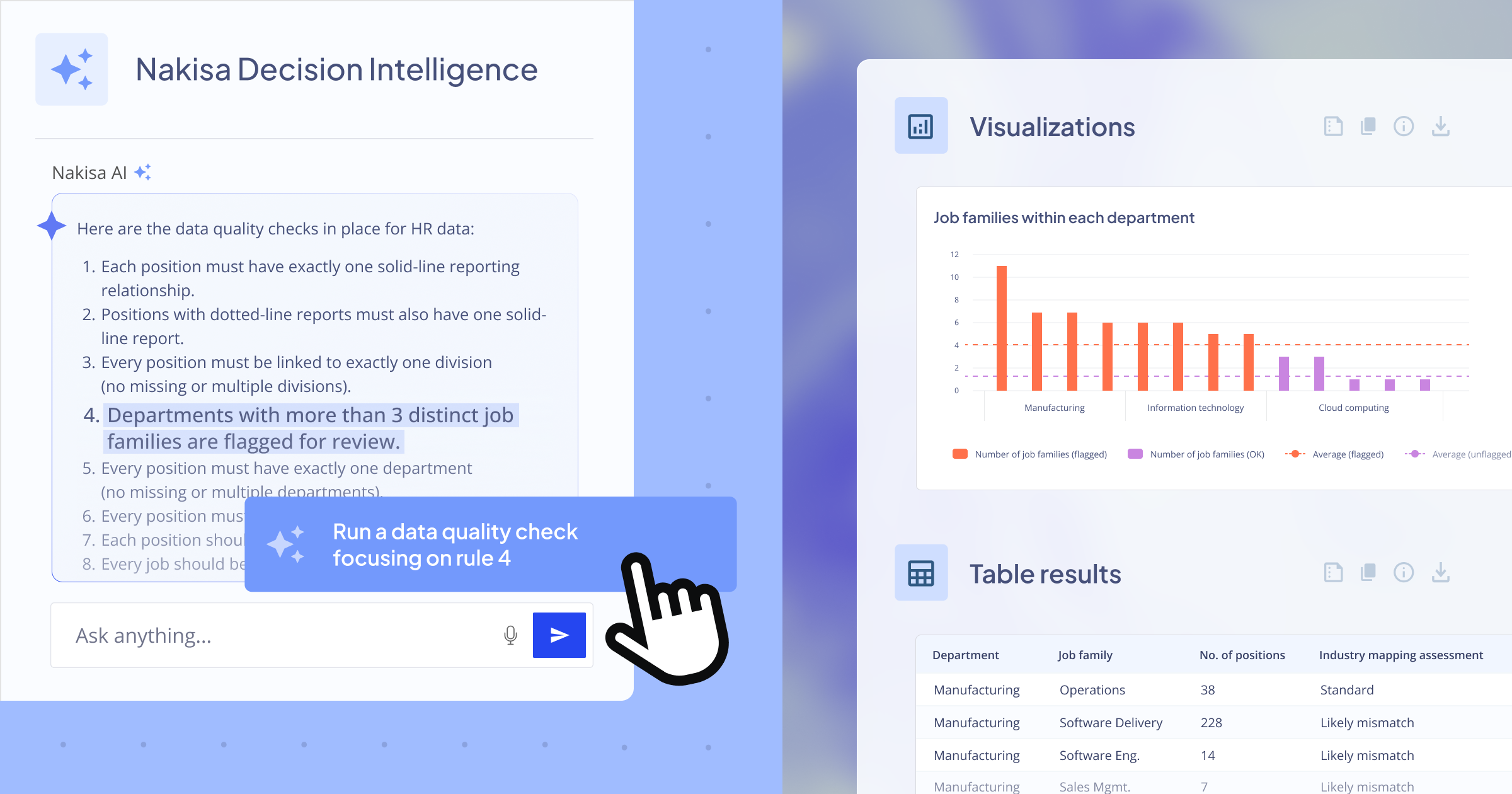
Rule 4 — No circular reporting loops
Check for cases like:
A → B → C → A cycles. Detect with recursive CTE.
A reports to B, and B reports to A
2. Position master data completeness
Rule 5 — Exactly one division
Dataset Field: PositionDirectory.Division
Check:
- NULL, blank, or multiple distinct divisions per Position ID → flag
Rule 6 — Exactly one department
Dataset Fields: Department, Department ID
Check:
- Missing department name
- Missing department ID
- Mismatch between Department and Department ID (if pattern exists)
Rule 7 — Exactly one Cost Center
Dataset Field: PositionDirectory."Cost Center"
Check:
- NULL, blank, multi-valued
Rule 8 — Valid Business Area & Business Unit
Dataset Fields:
- Business Area
- Business Unit
Check:
- Non-null required
- Business Unit must be consistent with Division (optional rule if hierarchy is known)
Rule 9 — Location completeness
Dataset Fields: City, Region, Country
Check: Missing or inconsistent location attributes.
Rule 10 — Invalid position status
Dataset Field: PositionDirectory.Status
Check: Status must be in allowed set:
- Active, Inactive, Vacant, On Hold, etc. (You can specify actual valid values.)
3. Position-to-Job alignment rules
Rule 11 — Position must link to an existing job
Dataset Fields & Relationship:
- PositionDirectory: Job Code
- JobDirectory: Job Code
Check:
- Job Code is NULL
- Job Code not in JobDirectory → orphan positions
Rule 12 — Job has exactly one Job Family & Functional Area
Dataset Fields:
- Job Family Code
- Functional Area Code
Check:
- Missing job family
- Missing functional area
- Same job appears with multiple job families (should not happen in your dataset)
Rule 13 — Job Family functional alignment (industry norms)
Examples:
- “Software Engineering” should not belong to “Finance”
- “Manufacturing Tech” should not belong to “HR Operations”
You can customize norms per your organization.
Rule 14 — Hay Evaluation completeness
Fields must be numeric & non-null:
- Hay Know-How
- Hay Problem Solving
- Hay Accountability
- Hay Total Points
- Hay Grade If missing → incomplete job evaluation.
4. Employee-to-Position rules
Rule 15 — Employee must have zero or one position
Dataset Field: EmployeeDirectory."Position ID"
Checks:
- Missing Position ID → employee unassigned
- Position ID contains delimiters like , or ; → concatenated values
- Employee appears in multiple rows with different Position IDs → multi-position assignment
Rule 16 — Employee-to-Position must align to PositionDirectory
Check:
- Position ID in EmployeeDirectory must exist in PositionDirectory. If not → orphan employee positions.
Rule 17 — No employees assigned to vacant positions
Fields:
- PositionDirectory.Vacant
- EmployeeDirectory.Position ID
Check:
- If Vacant = “Yes”, Position ID should not have employees assigned.
5. Span of control & managerial rules
Rule 18 — Span of control must match actual direct reports
Fields:
- PositionDirectory."Span of Control"
- EmployeeDirectory.Position ID
- Manager Position ID
Compute actual number of direct reports by counting positions where Manager Position ID = this Position ID. Compare to declared Span of Control. Mismatch > threshold → flag.
Rule 19 — Has Subordinates flag must match reality
Field: Has Subordinates If Has Subordinates = Yes, but actual direct reports = 0 → flag. If Has Subordinates = No, but actual direct reports > 0 → flag.
6. Skill data quality rules
Rule 20 — EmployeeSkill must reference valid Employee
Field: EmployeeSkill.EmployeeId
Check if it refers to an existing EmployeeDirectory.Employee ID.
Rule 21 — PositionSkill must reference valid osition
Field: PositionSkill.PositionId
Check if it refers to an existing PositionDirectory.Position ID.
Rule 22 — Skill validity dates must not overlap
For both EmployeeSkill and PositionSkill:
- For same SkillId + EmployeeId (or PositionId)
- Overlapping Begda/Endda periods → flag
Rule 23 — Employee Skill vs Position Skill gap
For each employee:
- Compare EmployeeSkill.SkillId vs PositionSkill.SkillId for the Position Flags:
- Missing required skills
- Employee proficiency below required level
- Employee skill expired (Endda < today)
7. Compensation & FTE rules
Rule 24 — Salary must fall within position salary scale
Fields:
- EmployeeDirectory.Salary
- PositionDirectory."Salary Scale (Min)"
- PositionDirectory."Salary Scale (Max)"
Checks:
- Salary < Min
- Salary > Max
Rule 25 — FTE Consistency
Fields:
- EmployeeDirectory."Employee FTE"
- PositionDirectory."Position FTE"
Check:
- Employee FTE exceeds Position FTE
- Employee is part-time but Position Hours Per Week = full-time threshold
8. Diversity, demographic & regulatory rules
Rule 26 — Age & birthdate validity
Fields: Birthdate, Age
Checks:
- Age computed from Birthdate must match Age field
- Implausible ages (<16, >90)
Rule 27 — Mandatory diversity fields completeness
Fields:
- Gender
- Nationality
- Ethnicity
- Disability
Checks: Missing or non-standardized values.
9. General data integrity rules
Rule 28 — Duplicate Keys
Check for duplicates in primary identifiers:
- Employee ID
- Position ID
- Job Code
- SkillId (paired with Employee/Position)
Rule 29 — Text fields containing placeholder values
Look for:
- “N/A”, “Unknown”, “None”, “--”, “TBD” and flag where structure requires real values.
Rule 30 — Referential integrity across all relationships
Using dataset relationship map :
- Employee ↔ EmployeeSkill (Employee ID)
- Position ↔ Employee (Position ID)
- Position ↔ Job (Job Code)
- Position ↔ PositionSkill (Position ID)
- EmployeeSkill ↔ PositionSkill (SkillId)
Check missing references everywhere.
Final thoughts
Data quality is no longer a back-office hygiene exercise, it’s a strategic enabler. The 30 rules outlined here highlight just how interconnected HR data truly is across positions, jobs, employees, skills, compensation, and organizational structure. When even one link breaks, it cascades into flawed reporting, misaligned decisions, and unreliable insights.
What’s clear is this:
- High-quality HR data strengthens workforce planning and organizational design.
- Valid, complete, and reliable data fuels AI-driven decision intelligence.
- Clean datasets create trust. Trust that leaders depend on to act with confidence.
With modern platforms like Nakisa Decision Intelligence, organizations can move from reactive data cleanup to proactive data governance, with AI continuously monitoring integrity, surfacing anomalies, and providing contextual recommendations.
The goal isn't perfection, it’s continuous clarity. And with well-defined rules and AI-powered validation, clarity becomes scalable, repeatable, and transformative.
These 30 data quality rules form a blueprint for stronger HR foundations today and a smarter, more connected enterprise tomorrow.
If you’re a leader, analyst, HRBP, or data-driven strategist, Nakisa Decision Intelligence unlocks organizational insights with a level of clarity and immediacy that simply didn’t exist before. You can request a demo of NDI here, or reach out to your dedicated Client Success Manager to access the preview environment.
I often write about AI and Nakisa innovations. Connect with me on LinkedIn for the latest updates!